What it measures
Broadcast-grade loudness, on your desktop
The same BS.1770 math behind ffmpeg's ebur128
filter,
wrapped in a real-time meter you can actually watch while you play.
EBU R128 loudness
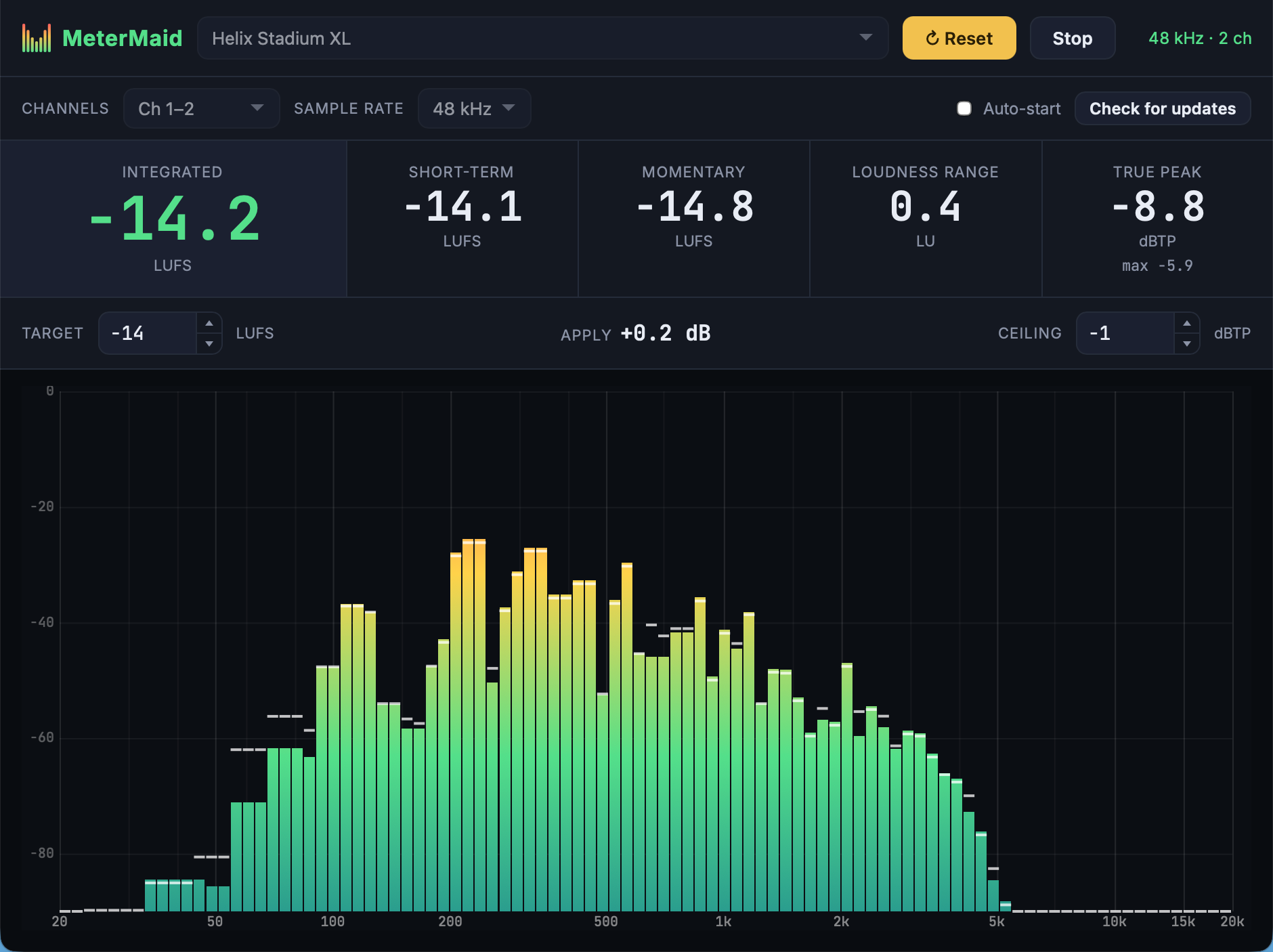
Integrated (gated), Short-term (3 s), and Momentary (400 ms) loudness in LUFS, plus Loudness Range (LRA).
Live spectrum analyzer
A log-frequency FFT spectrum with peak-hold, max-hold, and pink/brown noise guide curves calibrated to your target loudness. Freeze any curve as a reference and point anywhere to read the exact frequency and level.
Target & Apply helper
Set a target LUFS and MeterMaid shows the exact gain to apply to hit it. It's the fastest way to match two patches.
True Peak & clip ceiling
True-peak readout in dBTP with a configurable ceiling, so you can keep levels honest without clipping.
Cross-platform & signed
Native builds for macOS, Windows, and Linux. macOS builds are signed with an Apple Developer ID and notarized, with no Gatekeeper warnings.
Free, open & self-updating
MIT-licensed and free. It remembers your device and settings between launches and updates itself in place when a new release ships.
Download
Get MeterMaid v0.6.0
Pick your platform below. On first launch MeterMaid asks for microphone access. It needs that to read any audio input device, including USB interfaces.
Windows
Unsigned, so SmartScreen may warn; choose More
info → Run anyway. .msi in all assets.
Looking for checksums, signatures, or older versions? Browse all releases on GitHub.
Getting started
From download to dialed-in tone
You'll be reading real loudness in under a minute. No account, no config files, and no manual to read.
-
1
Install and open
Grab the build for your platform above and launch it. macOS builds are notarized, so they open without warnings.
-
2
Pick your input
Connect your interface or modeler over USB, or route playback through a virtual device like BlackHole, then choose it in the device dropdown.
-
3
Press Start
Click Start and allow microphone access when asked. The readouts and the live spectrum come alive right away.
-
4
Match your loudness
Set a Target, play a few seconds, and read the Apply value. To level a patch, make a change, click Reset or press Space, and play again until Apply settles.
Keyboard shortcuts
Keep your hands close to your instrument. Use these keys with the MeterMaid window active.
- S
- Start / stop capture.
- Space
- Reset the measurement while capturing, keeping the audio device running.
- M
- Toggle spectrum Max Hold.
S and M work any time you are not typing in a field, so they stay live right after you pick a device. Close the About window first. No modifier keys, and holding the letter down does not repeat the action.
Updates
What's new
MeterMaid gains features and fixes regularly, and it updates itself in place, so you're always current. The current version is v0.6.0.
Latest highlights
v0.6.0 · September 12, 2026Hands-free control while you play. You can now start and stop metering with the S key, and toggle Max hold with M, on top of the existing Space to reset between patches. The shortcuts keep working right after you choose an input device, so you can set up once and then keep your hands on your instrument.
Also fixed: in rare cases the Start and Stop buttons could stop responding until you restarted the app.
Feedback
Found a bug? Want a feature?
MeterMaid is built in the open. The best way to report a problem, request a feature, or ask a question is on GitHub. It keeps everything in one place and lets others chime in.
New to leveling tone? Read Level Guitar Patches with MeterMaid.
Support
Buy me a coffee
MeterMaid is free and open source. No ads, no account, no tracking, and no upsell. If it has earned a place in your music gear, a one-time tip helps cover the signing certificates and hardware that keep the builds working on every platform.
Buy me a coffeeEntirely optional. MeterMaid stays free and fully featured either way.